
Audit trail
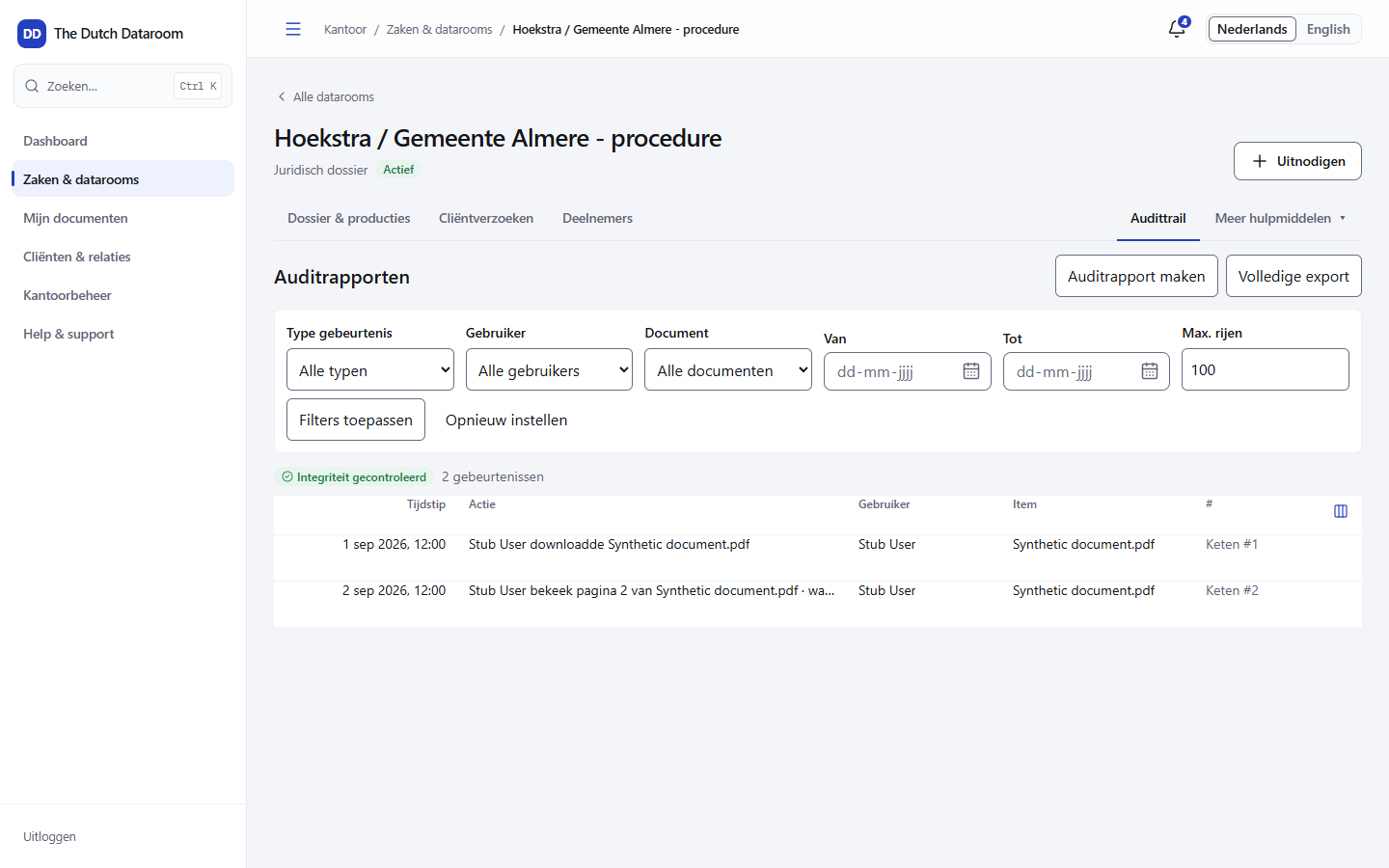
Every dataroom has an audit trail: a log of what happened, by whom and when. You find it under the Audit trail tab. The log is read-only; nobody can change or delete lines in it.
What is recorded
Section titled “What is recorded”- Documents — viewed, downloaded, uploaded, new version, redacted.
- Access — participant invited, access changed or withdrawn.
- Logging in — successful and refused sign-ins.
- Administration — settings, retention, destruction and approval.
- Requests and Q&A — sent, submitted, approved, published.
Per line you see the time, the person, the event and the subject (dataroom, document or folder).
Filtering
Section titled “Filtering”Filter by period, person, type of event or dataroom. Use the filters together to see for example all views of one document by one guest in one week — exactly what you need for a question about alleged access.
Exporting
Section titled “Exporting”You can export the trail as a file for a matter or an office audit. There is also a daily export: every day the log is recorded automatically, so that you have a series of independent copies.
Verifying the chain
Section titled “Verifying the chain”The lines are chained together with a cryptographic fingerprint. If someone changes a line afterwards, the chain no longer matches. With Verify chain the system checks the entire trail and reports the first point where something does not match. Keep the outcome with your matter if you have to show that the log is intact.
Insight per group
Section titled “Insight per group”Next to the trail there is Insight: reading time per group and per page. With it you see which documents received attention and which nobody opened — useful in a due diligence or a procedure in which you have to show that a document was available.