
Branding
You can give the client portal and the login page your own brand colour and logo. The rest of the application keeps the fixed layout, so that everything keeps working and stays readable.
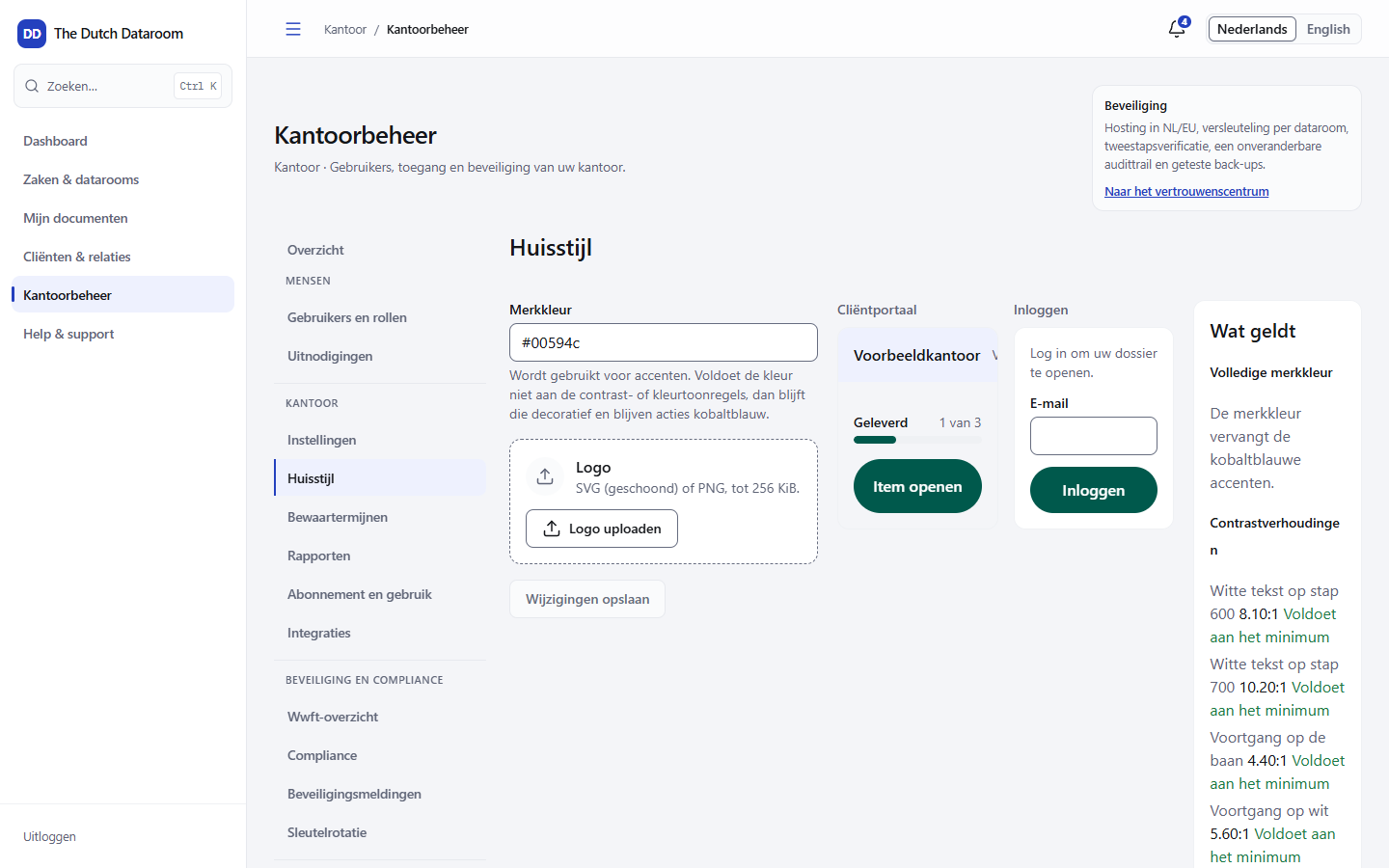
Setting the brand colour
Section titled “Setting the brand colour”- Open Office administration → Branding.
- Enter the colour as
#rrggbb, for example#00594c. - Look at the preview: the portal and the login screen take on the colour.
- Choose Save changes.
The colour is only used if it meets the contrast and colour tone rules. If it does not, the colour remains decorative and actions keep their own colour. That way a button is always recognisable and readable, also with a light or bright brand colour.
Uploading a logo
Section titled “Uploading a logo”- Allowed: SVG (sanitised) or PNG, up to 256 KiB.
- The logo appears in the top bar of the client portal and on the login page.
- Choose Remove logo to return to the default logo.
A file that is too large or not supported is refused with the message Choose an SVG or PNG file.
What you cannot adjust
Section titled “What you cannot adjust”The application itself — the screens your staff use — keeps the fixed design. That is deliberate: a recognisable interface prevents mistakes and keeps accessibility (contrast, focus, keyboard) the same for everyone.