
Exhibits and the court bundle
In proceedings you submit documents as numbered exhibits. The dataroom keeps track of that numbering and turns it into an exhibit overview and a bundle.
How the list is created
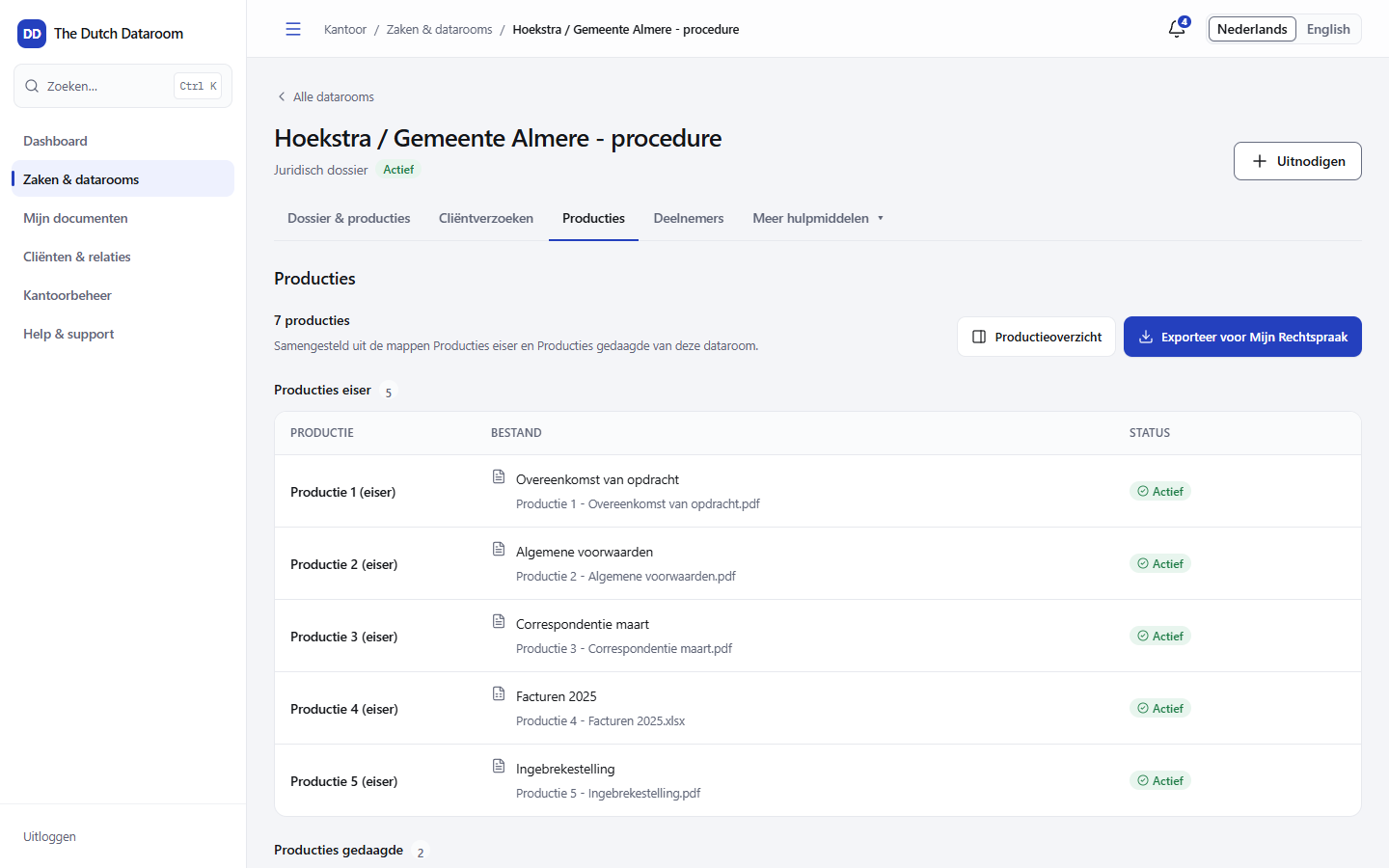
Section titled “How the list is created”The exhibit list is compiled from two folders in the dataroom: Claimant’s exhibits and Defendant’s exhibits. Put a document in the right folder and it appears in the list with a continuous number per party.
Documents you do not have digitally you can include as Non-digital. They count in the numbering, so that the numbers in your procedural document match the bundle.
Status per exhibit
Section titled “Status per exhibit”| Status | Meaning |
|---|---|
| Ready | The document is converted and ready to be served |
| Being converted | The PDF version is still being created |
| Action needed | Something is missing, for example a readable version |
| Newer version available | The source document has been updated; the exhibit has not |
| Withdrawn | The document has been removed from the list |
Watch out for Newer version available: that means you have uploaded a new file, but the exhibit still shows the old version. Update the exhibit before you export the bundle.
The exhibit overview
Section titled “The exhibit overview”Choose Exhibit overview for a preview of the list as it belongs with the bundle. Check:
- the numbers run continuously and start at 1 per party;
- every title is recognisable to the court;
- there are no internal documents in between;
- the non-digital exhibits are in the right place.
Exporting the bundle
Section titled “Exporting the bundle”Choose Export for Mijn Rechtspraak. You receive a bundle with its own cover page, the exhibit overview and the documents in the correct order. Keep the bundle with the matter and note the version you submitted.
What is in the audit trail
Section titled “What is in the audit trail”Adding, changing and withdrawing an exhibit, and every export of the bundle, appear in the audit trail with time and person. That way you can show which version was served at which moment.