
Building the index
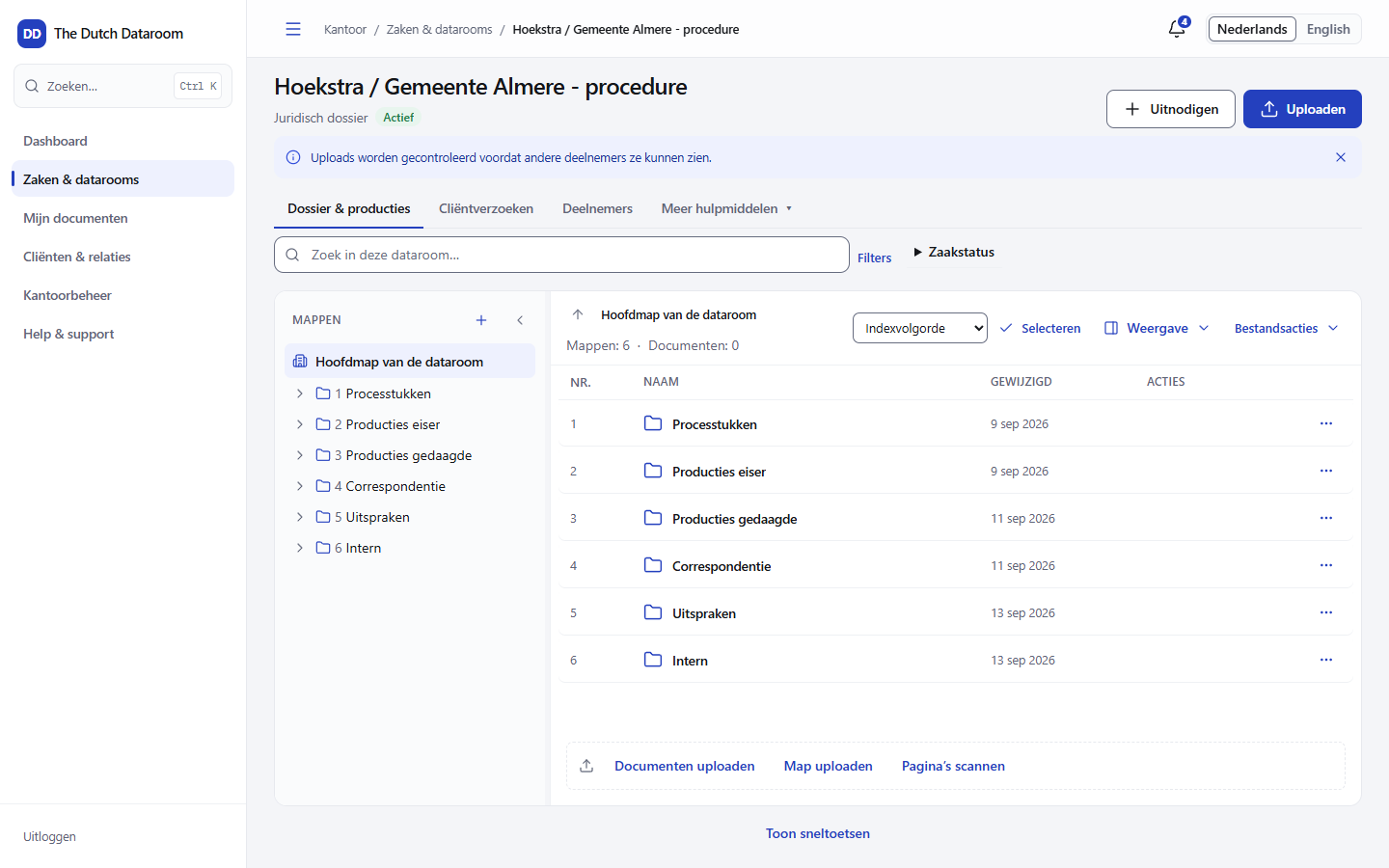
The index is the table of contents of your dataroom: a folder tree with numbered documents. Clients and counterparties see the same numbers as you, also in exports and in the exhibit list.
Numbering
Section titled “Numbering”Numbers follow the position in the tree, not the name of the file. If you move a document, the numbering is updated automatically — including in the numbers in between.
In Settings you choose the style:
- Numeric — 1, 2, 3
- Decimal — 1.1, 1.2, 1.2.1
- No numbering — for a dataroom in which numbers do not help
With Hide numbers in the toolbar you temporarily hide the numbers for yourself. The numbers still exist: exports and the exhibit list simply use them.
Adding a folder
Section titled “Adding a folder”- Open the folder in which the new folder should go.
- Choose New folder.
- Enter the name and confirm.
Folders can be nested. A folder marked Internal: not visible to guests is for office users only; useful for working versions and notes.
Placing an expected document
Section titled “Placing an expected document”An expected document is an empty spot in the index: you know the document is coming, but it is not there yet. That way you see at a glance what is still missing.
- Choose New expected document.
- Provide the title, for example
Exhibit 12 – witness statement. - The item appears dotted in the index with the status Expected.
You can fill it in three ways:
- Upload here — choose a file for exactly this spot.
- Request — start a document request with the title and the target folder already filled in.
- Drag: drag a file onto the row of the expected document.
The Completeness button filters the list on Expected only or Present only, so that you quickly see what is still open.
Moving and reordering
Section titled “Moving and reordering”- Move — choose Move in the action menu of an item and choose the target folder.
- One folder up — in the action menu of a folder.
- Sort — choose Index order, Name (A–Z) or Newest first. Sorting by name or date changes the displayed order, not the index itself. The Restore index order notice takes you back to the number order.
Importing and exporting the index
Section titled “Importing and exporting the index”You can import an existing index from Excel or CSV with a preview: you first see what is going to be created and only then do you confirm. Exporting is possible as Excel and as PDF, for example to add the table of contents to a procedural document.
What to watch out for
Section titled “What to watch out for”- Numbering after import — imported rows get a number based on their position. If the order in your spreadsheet is different, the index sorts differently than you expect.
- Deleting is postponing — a deleted item goes to the trash and can be restored for 30 days.
- Permissions are per folder — adding a document to a folder that a guest may not see changes nothing about their access.